Securing Your App: TOTP Authentication with Spring Boot and Angular — Part Two— Implementation &…
Part 2 of the TOTP series: implement time-based one-time password two-factor authentication in Spring Boot and Angular, step by step.
Securing Your App: TOTP Authentication with Spring Boot and Angular — Part Two— Implementation & Demo
This is a continuation of Part 1 — Overview and Project Setup. Please go through it if you have not.

Securing Your App with TOTP, Part One: Overview and Project Setup
Register Endpoint Implementation
As the first step let’s implement the register endpoint. Below operations involved in this process,
The controller delegates the service request.
@PostMapping("/register")
    public ResponseEntity<?> register(@Validated @RequestBody User user) {
        // Register User // Generate QR code using the Secret KEY
        try {
            return ResponseEntity.ok(userService.registerUser(user));
        } catch (QrGenerationException e) {
            return ResponseEntity.internalServerError().body("Something went wrong. Try again.");
        }
    }
Service layer for Registration.
- Check the user already exists in DB with the same username.
- Hash the password
- Create a Secret key that is used for TOTP generation
- Save these data in the DB
- Generate a QR code and respond.
@Override
    public MfaTokenData registerUser(User user) throws UserAlreadyExistException, QrGenerationException {
        try{
            if (userRepository.findByUsername(user.getUsername()).isPresent()) {
                throw new UserAlreadyExistException("Username already exists");
            }
            user.setPassword(passwordEncoder.encode(user.getPassword()));
            //some additional work
            user.setSecretKey(totpManager.generateSecretKey()); //generating the secret and store with profile
            User savedUser = userRepository.save(user);

            //Generate the QR Code
            String qrCode = totpManager.getQRCode(savedUser.getSecretKey());
            return MfaTokenData.builder()
                    .mfaCode(savedUser.getSecretKey())
                    .qrCode(qrCode)
                    .build();
        } catch (Exception e){
            throw new MFAServerAppException("Exception while registering the user", e);
        }
    }
The TOTP Manager is responsible for generating the secret key and QR code. Let’s create the beans for this. By default, the secret generator will generate a 32-byte secret key. it can be overridden by passing a constructor argument.
@Bean
    public SecretGenerator secretGenerator(){
        return new DefaultSecretGenerator();
    }

    @Bean
    public QrGenerator qrGenerator(){
        return new ZxingPngQrGenerator();
    }
TOTP Manager Implementation. We create a QR code with all the required details for the TOTP generation. The QR code below contains the secret, number of digits, period, and algorithm. These details help the Authenticator app to generate a TOTP that matches the server.
@Override
public String generateSecretKey() {
    return secretGenerator.generate(); // 32 Byte Secret Key
}

@Override
public String getQRCode(String secret) throws QrGenerationException {
    QrData qrData = new QrData.Builder().label("2FA Server")
            .issuer("Youtube 2FA Demo")
            .secret(secret)
            .digits(6)
            .period(30)
            .algorithm(HashingAlgorithm.SHA512)
            .build();

    return Utils.getDataUriForImage(qrGenerator.generate(qrData), qrGenerator.getImageMimeType());
}
Now Registration endpoint is ready. Let’s try with UI.
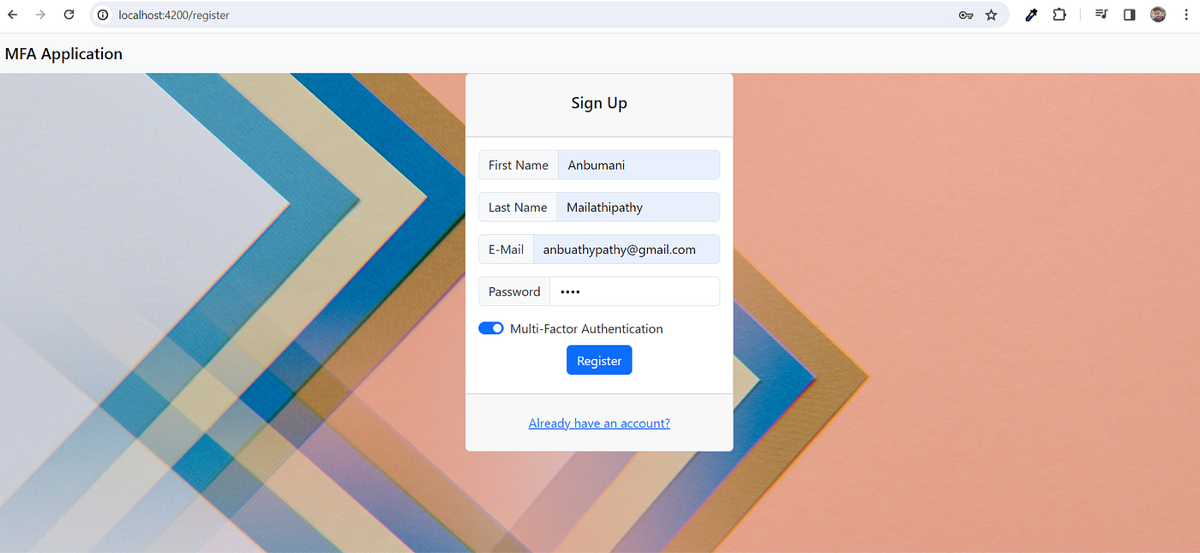
Registration UI with details keyed
The below screenshot shows the QR code returned after a successful registration.
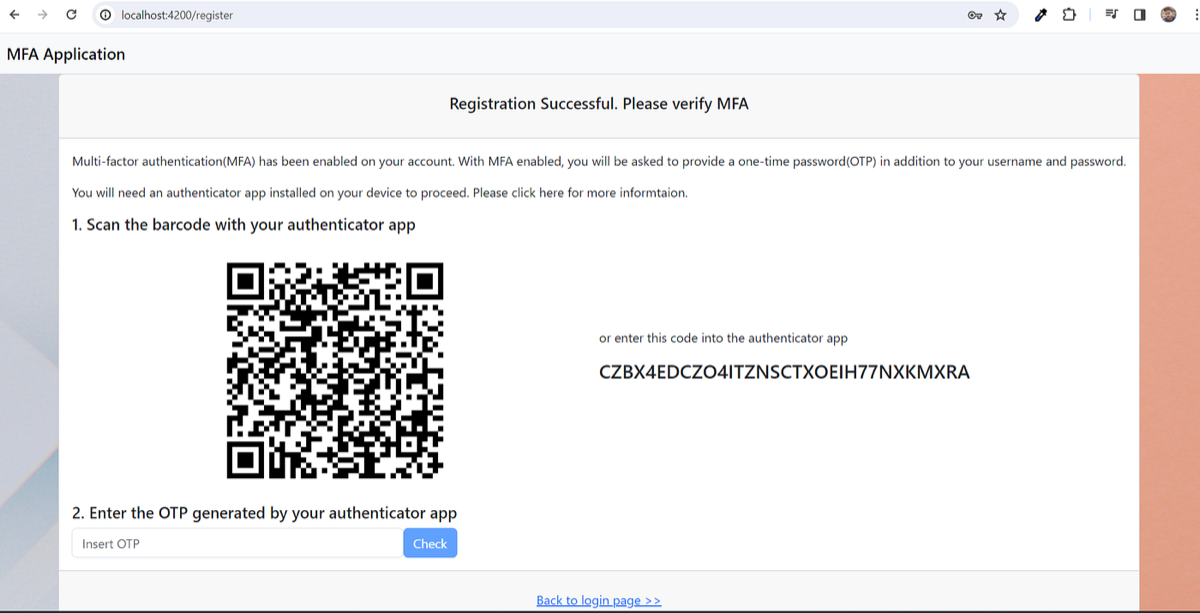
After successful registration of the user
Mongo DB with User data persisted.
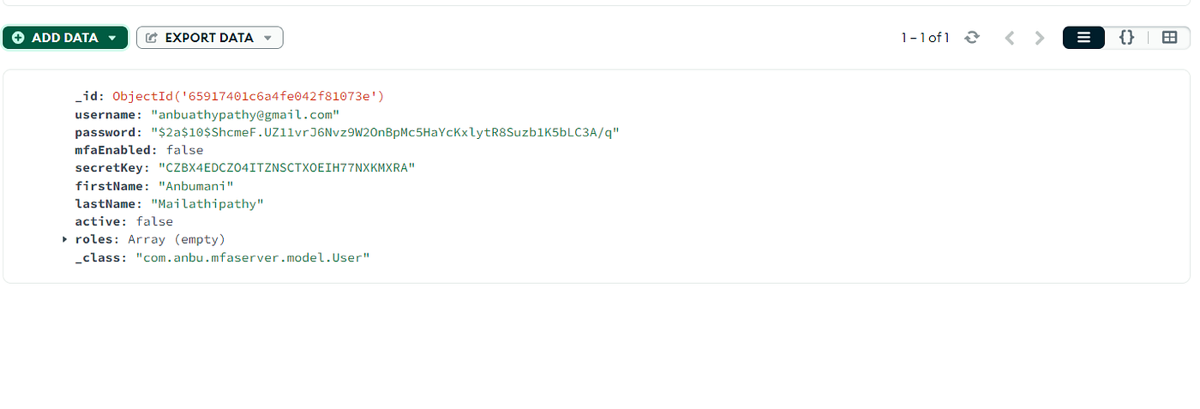
we have completed the registration successfully. Now user scans the QR code with the authenticator app to generate the one-time password. Let’s create the login and verifyTotp endpoints.
Login endpoint Implementation
The controller delegates the request to service and responds with a response.
Here we respond with all the required parameters for UI to determine the user needs to be validated again on 2FA, user is validated, JWT, and message.
 @PostMapping(value = "/login", produces = "application/json")
    public ResponseEntity<?> login(@Validated @RequestBody LoginRequest loginRequest) {
        // Validate the user credentials and return the JWT / send redirect to MFA page
        try {//Get the user and Compare the password
            Authentication authentication = authenticationProvider.authenticate(
                    new UsernamePasswordAuthenticationToken(loginRequest.getUsername(), loginRequest.getPassword())
            );
            SecurityContextHolder.getContext().setAuthentication(authentication);
            User user = (User) authentication.getPrincipal();
            return ResponseEntity.ok(MfaVerificationResponse.builder()
                    .username(loginRequest.getUsername())
                    .tokenValid(Boolean.FALSE)
                    .authValid(Boolean.TRUE)
                    .mfaRequired(Boolean.TRUE)
                    .message("User Authenticated using username and Password")
                    .jwt("")
                    .build());

        } catch (Exception e){
            return ResponseEntity.ok(MfaVerificationResponse.builder()
                    .username(loginRequest.getUsername())
                    .tokenValid(Boolean.FALSE)
                    .authValid(Boolean.FALSE)
                    .mfaRequired(Boolean.FALSE)
                    .message("Invalid Credentials. Please try again.")
                    .jwt("")
                    .build());
        }
    }
We are using an authentication provider from Spring Security and validate the user. Alternatively, you can directly validate the password and respond as we are going to implement JWT in the upcoming blog.
@Override
    public Authentication authenticate(Authentication authentication) throws AuthenticationException {
        String username = authentication.getName();
        String password = authentication.getCredentials().toString();

        Optional<User> userDetails = userRepository.findByUsername(username);
        if(userDetails.isPresent()){
            if (userDetails != null && passwordEncoder.matches(password, userDetails.get().getPassword())) {
                return new UsernamePasswordAuthenticationToken(userDetails.get(), password);
            } else {
                throw new BadCredentialsException("Invalid password");
            }
        } else {
            throw new UsernameNotFoundException("Username Not Found");
        }
    }
Let’s validate the login page using /login API.
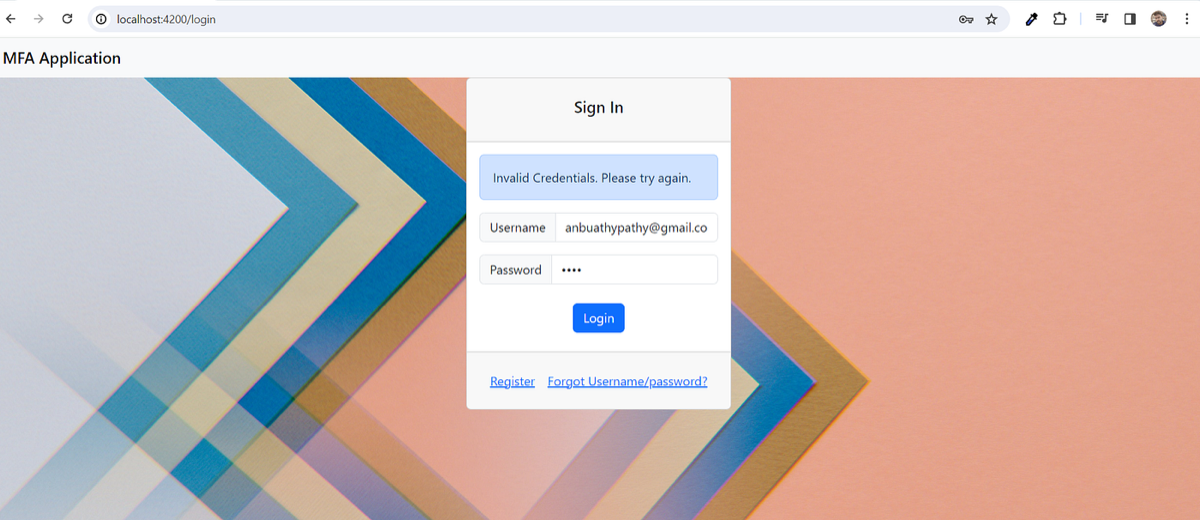
Login Screen with a message for invalid credentials
Let’s enter valid credentials and it navigates us to the 2FA page.
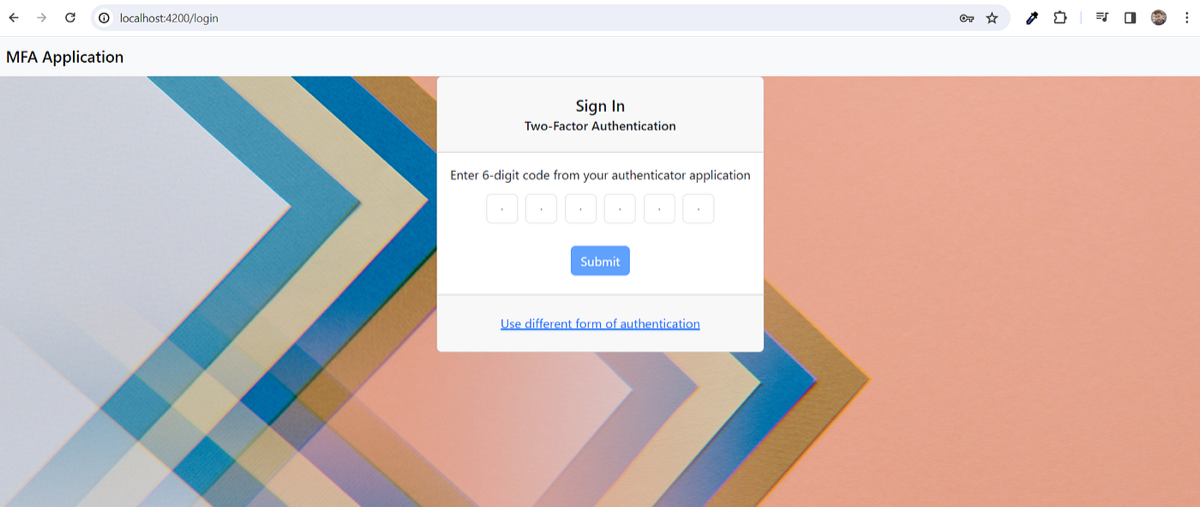
The user prompted for 2FA upon successful login
This shows the login is working as expected. Let’s move on to create the verifyTotp endpoint.
VerifyTotp Implementation
The controller delegates the request to the service layer and responds with the response from the service.
@PostMapping("/verifyTotp")
public ResponseEntity<?> verifyTotp(@Validated @RequestBody MfaVerificationRequest request) {
    MfaVerificationResponse mfaVerificationResponse = MfaVerificationResponse.builder()
            .username(request.getUsername())
            .tokenValid(Boolean.FALSE)
            .message("Token is not Valid. Please try again.")
            .build();
    // Validate the OTP
    if(userService.verifyTotp(request.getTotp(), request.getUsername())){
        mfaVerificationResponse = MfaVerificationResponse.builder()
                .username(request.getUsername())
                .tokenValid(Boolean.TRUE)
                .message("Token is valid")
                .jwt("DUMMYTOKEN")
                .build();
    }
    return ResponseEntity.ok(mfaVerificationResponse);
}
The service layer makes use of a code verifier from samssteven.totp dependency to validate. User secret will be queried from DB using the username from the payload
@Override
public boolean verifyTotp(String code, String username) {
    User user = userRepository.findByUsername(username).get();
    return totpManager.verifyTotp(code, user.getSecretKey());
}
    @Override
    public boolean verifyTotp(String code, String secret) {
        return myCodeVerifier.isValidCode(secret, code);
    }
We will create a bean of it with the same values which was used for QR code generation.
Code (TOTP) can be verified with time and the code generation algorithm. We will create the object of Time Provider and Code Generator as below. All the parameters must be same as the QR code data.
@Bean
    public CodeVerifier myCodeVerifier(){
        // Time
        TimeProvider timeProvider = new SystemTimeProvider();
        // Code Generator
        CodeGenerator codeGenerator = new DefaultCodeGenerator(HashingAlgorithm.SHA512, 6);
        DefaultCodeVerifier codeVerifier = new DefaultCodeVerifier(codeGenerator, timeProvider);
        codeVerifier.setTimePeriod(30);
        codeVerifier.setAllowedTimePeriodDiscrepancy(2);
        return  codeVerifier;
    }
Let’s check this out from UI. I have entered the OTP generated from the authenticator app.
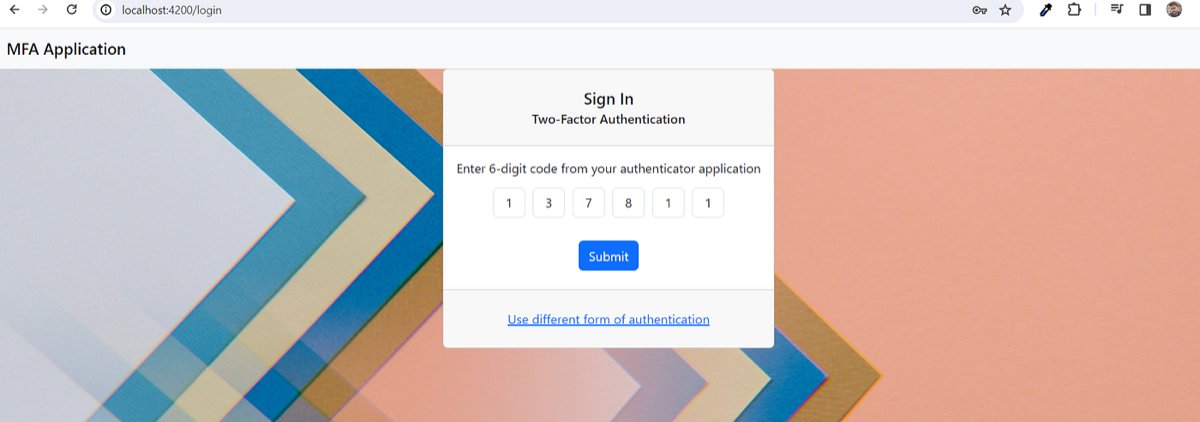
key in TOTP from the authenticator app
Upon submission, it successfully allowed me into the application.
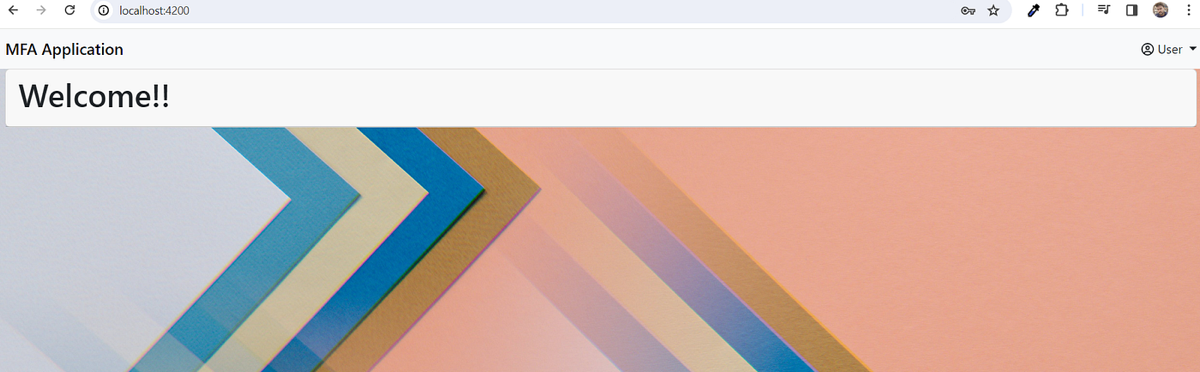
Kudos!!! We have successfully implemented the TOTP as 2FA into our application. Please feel free to refer the GitHub repo.
Get new articles by email
One short email whenever a new article is published. No spam, unsubscribe anytime.
Keep reading
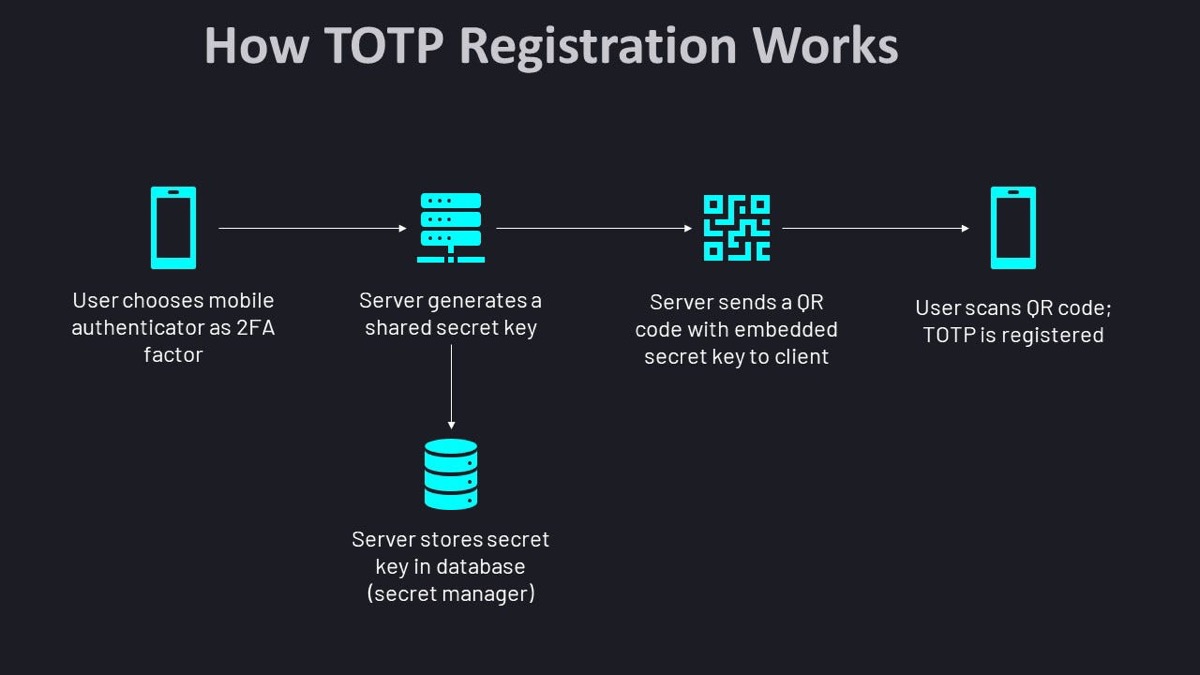
Securing Your App: TOTP Authentication with Spring Boot and Angular — Part One — Overview &…
Add TOTP two-factor authentication to a Spring Boot and Angular app. Part 1 covers how TOTP works, the overview and the project setup.
Spring Boot — Continuous Deployment from GitHub into GCP Cloud Run with Cloud Build
Set up continuous deployment for a Spring Boot app: GitHub as the code repository, Google Cloud Build to build the image and Cloud Run to run it.
Spring Boot with Cloud Spanner
Learn how to connect a Spring Boot application to Google Cloud Spanner, Google's distributed SQL database, with a step-by-step example.
Comments
No comments yet. Be the first to share your thoughts.