Spring Boot — Continuous Deployment from GitHub into GCP Cloud Run with Cloud Build
Set up continuous deployment for a Spring Boot app: GitHub as the code repository, Google Cloud Build to build the image and Cloud Run to run it.
What is continuous deployment?
Continuous deployment (CD, or CDE) is a strategy or methodology for software releases where any new code update or change made through the rigorous automated test process is deployed directly into the live production environment, where it will be visible to customers.
How are we going to achieve CD in Clou Run?
We are going to use GitHub as our code repository and make use of Google Cloud service Cloud Build to build and deploy the application in Cloud Run Container instances.
Let’s make one basic spring boot application. And add two new files to the project root directory.
- couldbuild.yml
- Dockerfile
couldbuild.yml
This file will give the step by step instructions to cloud build. Below is the complete file we have for our project
steps:
 - name: 'maven'
 entrypoint: 'mvn'
 args: ['clean', 'install', '-DskipTests']
 #https://cloud.google.com/build/docs/cloud-builders
 # Build the container image
 - name: 'gcr.io/cloud-builders/docker'
 args: ['build', '-t', 'gcr.io/$PROJECT_ID/$_SERVICE_NAME:$COMMIT_SHA', '.']
 # Push the container image to Container Registry
 - name: 'gcr.io/cloud-builders/docker'
 args: ['push', 'gcr.io/$PROJECT_ID/$_SERVICE_NAME:$COMMIT_SHA']
 # Deploy container image to Cloud Run
 - name: 'gcr.io/google.com/cloudsdktool/cloud-sdk'
 entrypoint: gcloud
 args:
 - 'run'
 - 'deploy'
 - '$_SERVICE_NAME'
 - ' - image'
 - 'gcr.io/$PROJECT_ID/$_SERVICE_NAME:$COMMIT_SHA'
 - ' - region'
 - '$_DEPLOY_REGION'
options:
 logging: CLOUD_LOGGING_ONLY
images: [gcr.io/$PROJECT_ID/$_SERVICE_NAME:$COMMIT_SHA]
each step defines the name, entry point, and args. In our file, we have below stuff,
1. mvn clean install the project. This will pull all the dependencies for the project.
2. Build docker image. Building docker image requires docker and it will be refered from the Google cloud Artifact registry. Also this build commend needs “Dockerfile” to create image. this we will cover in coming section.
3. Push the Created Docker image into Cloud Container Registry. we are using gcr.io and it will push the image into the path given in the argument.
4. Last we will deploy the application into Cloud Run. The command will refer the registry amd pull the image, create container/update the container with the revision.
Dockerfile
FROM openjdk:8-jdk
VOLUME /tmpADD target/spannerdemo-0.0.1-SNAPSHOT.jar app.jar
ENTRYPOINT [“java”,”-Djava.security.egd=file:/dev/./urandom”,”-jar”,”/app.jar”]
The Docker file provides the image creation steps for Docker. Here we are using openjdk-8 to generate the image and the entry point gives the command to generate the image.
Now it’s time to Create a Cloud Run service.
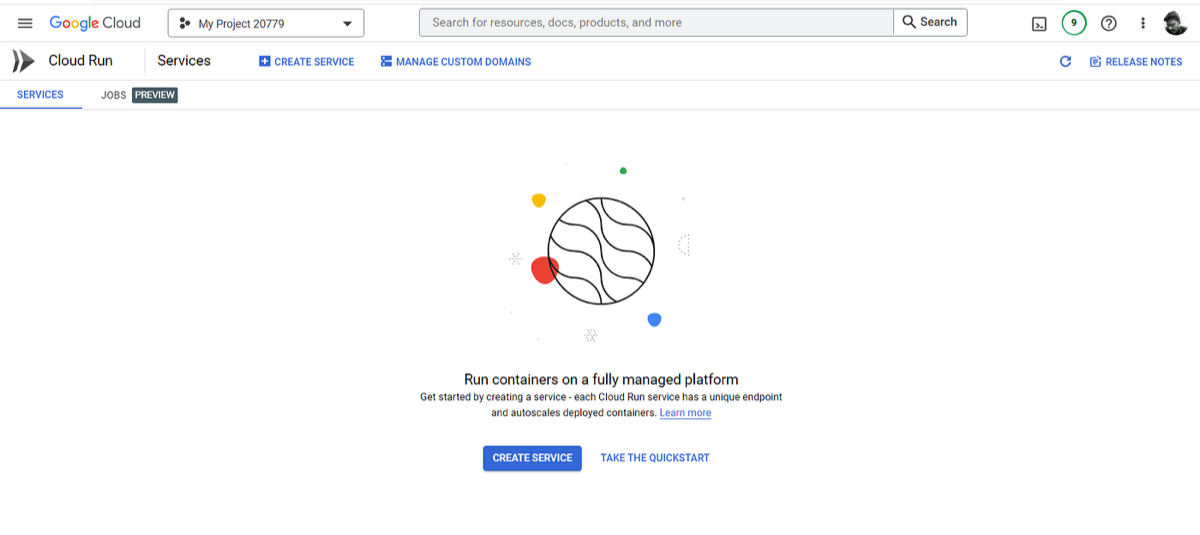
Cloud Run landing page
- Create Cloud Run Service
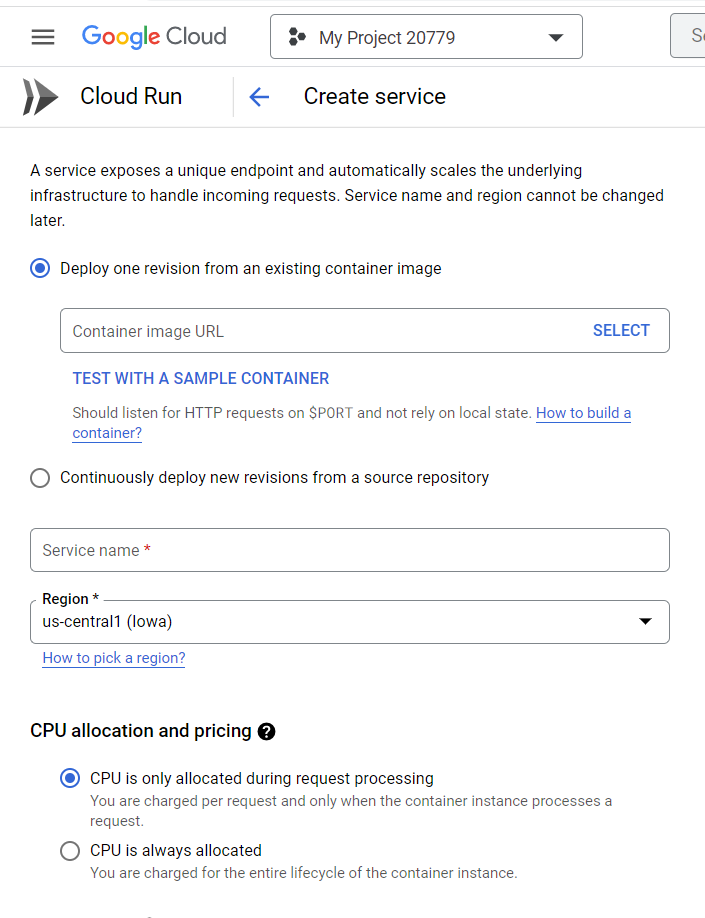
Creating new Service in Cloud Run
2. Select continuous deployment and setup Cloud Build
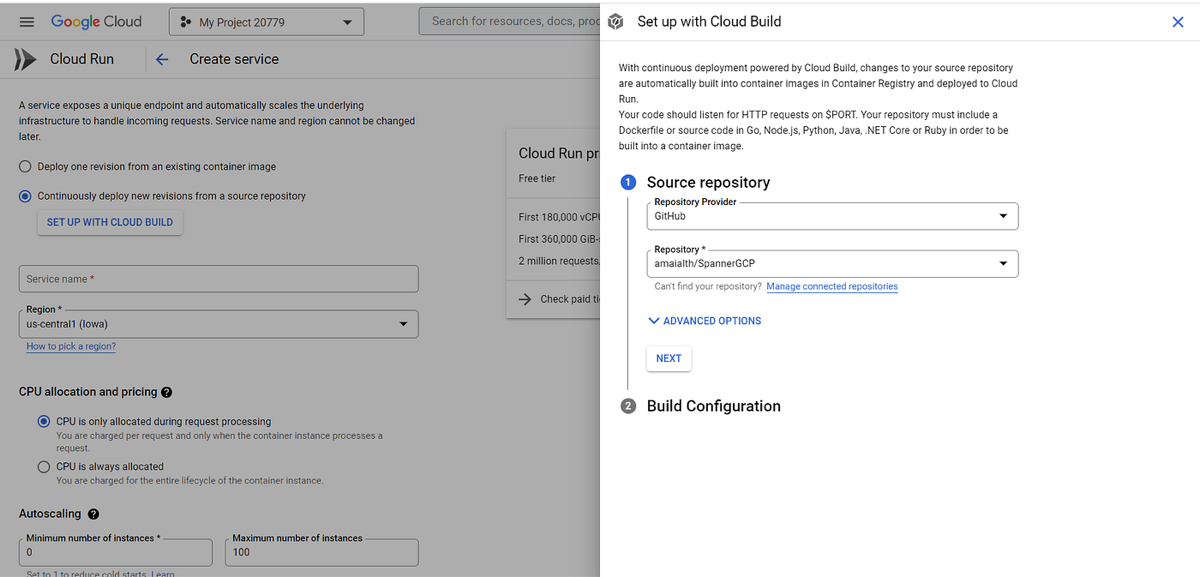
Configuring GitHub
Select the repository for cloud build. And In Build configuration select Dockerfile.
If you haven’t configured the repository with Cloud Build then move to Cloud Build and configure it. Make sure you authorize the repo from Git Hub.
Now allow unauthenticated requests for testing. Create the service.
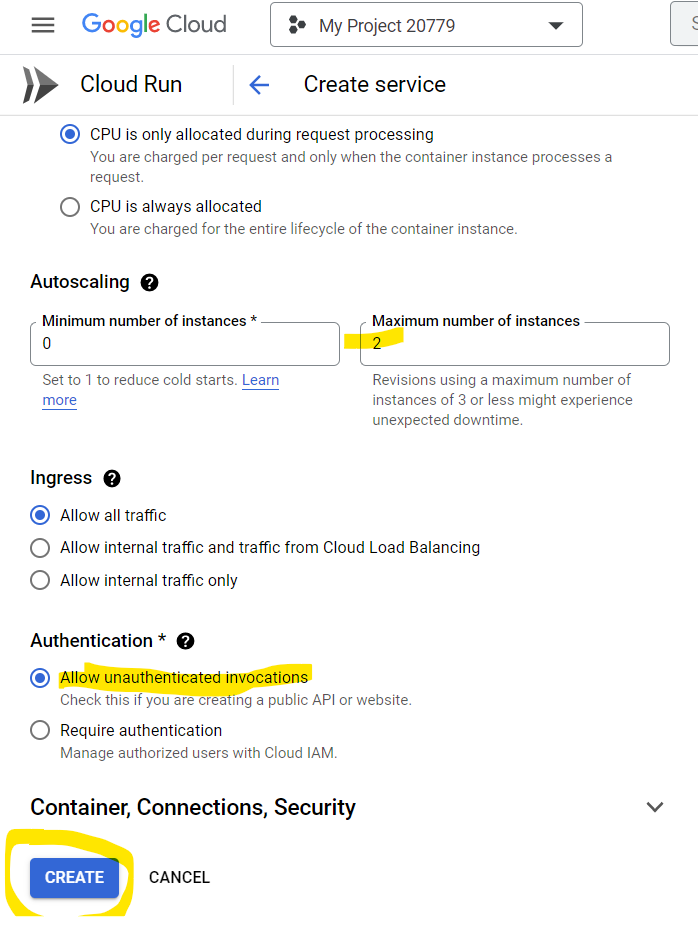
Allowing unauthenticated traffic and creating service
This will create the service and trigger the cloud build. But this time it will fail.
Now head to Cloud Build -> Triggers
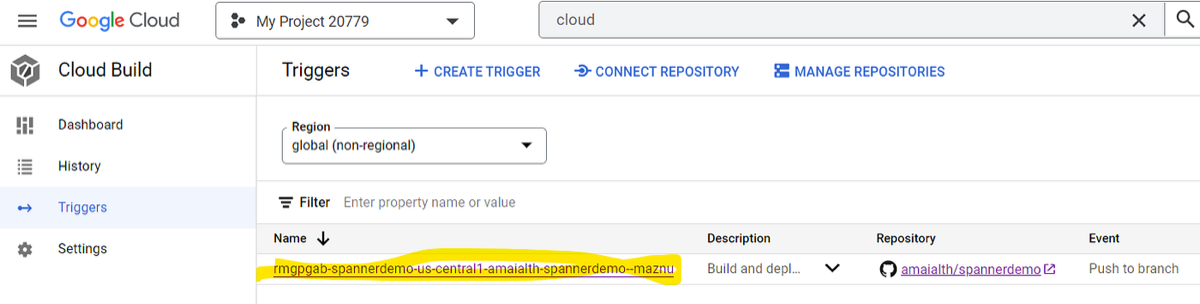
Cloud Build Triggers
Select the trigger that is created by Cloud Run auto deployment.
Now update the inline cloud build yaml to our yaml file in the repository.
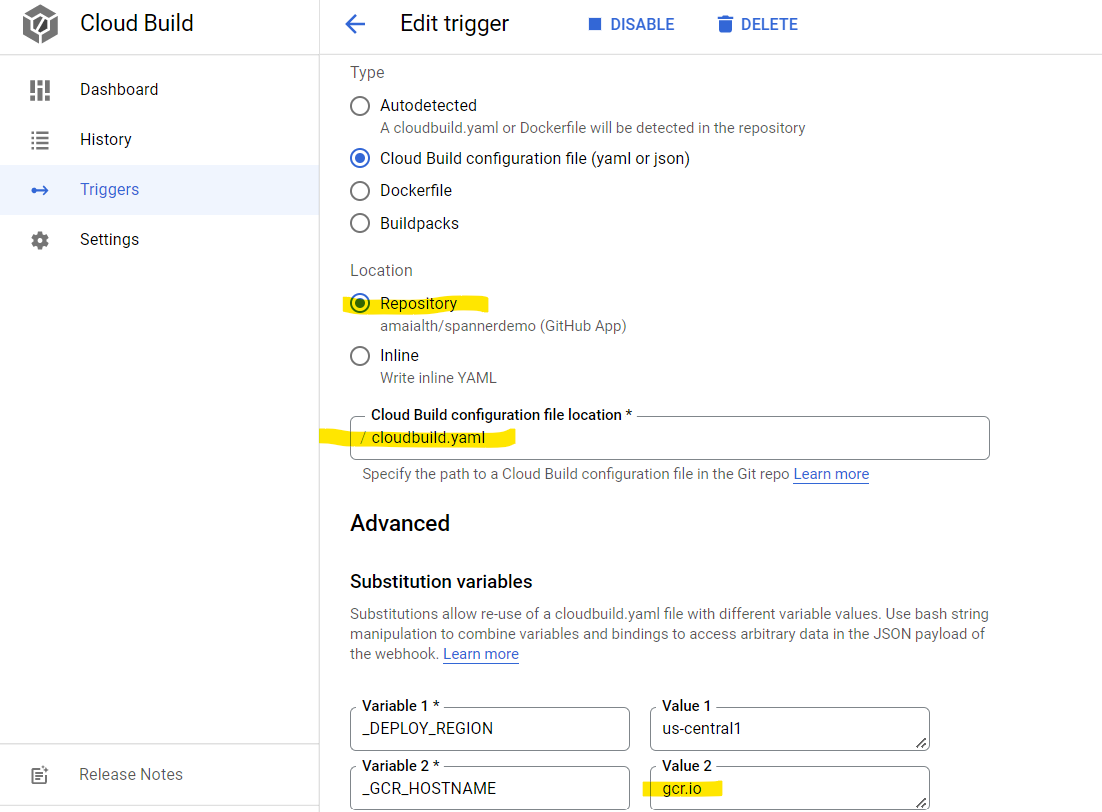
Edit Cloud Build trigger
Now save and run the cloud build manually to test. It will deploy the app into the cloud run and this also creates docker images in the location we specified in the cloud build file. After this, every push into the repository will make a deployment into the cloud run.
Get new articles by email
One short email whenever a new article is published. No spam, unsubscribe anytime.
Keep reading
Spring Boot with Cloud Spanner
Learn how to connect a Spring Boot application to Google Cloud Spanner, Google's distributed SQL database, with a step-by-step example.
Comments
No comments yet. Be the first to share your thoughts.