The Ultimate Guide to Angular Signals: Building a Zoneless E-Commerce Store 🛑
A practical guide to Angular Signals: stop treating them like plain variables and build a zoneless e-commerce store the right way.
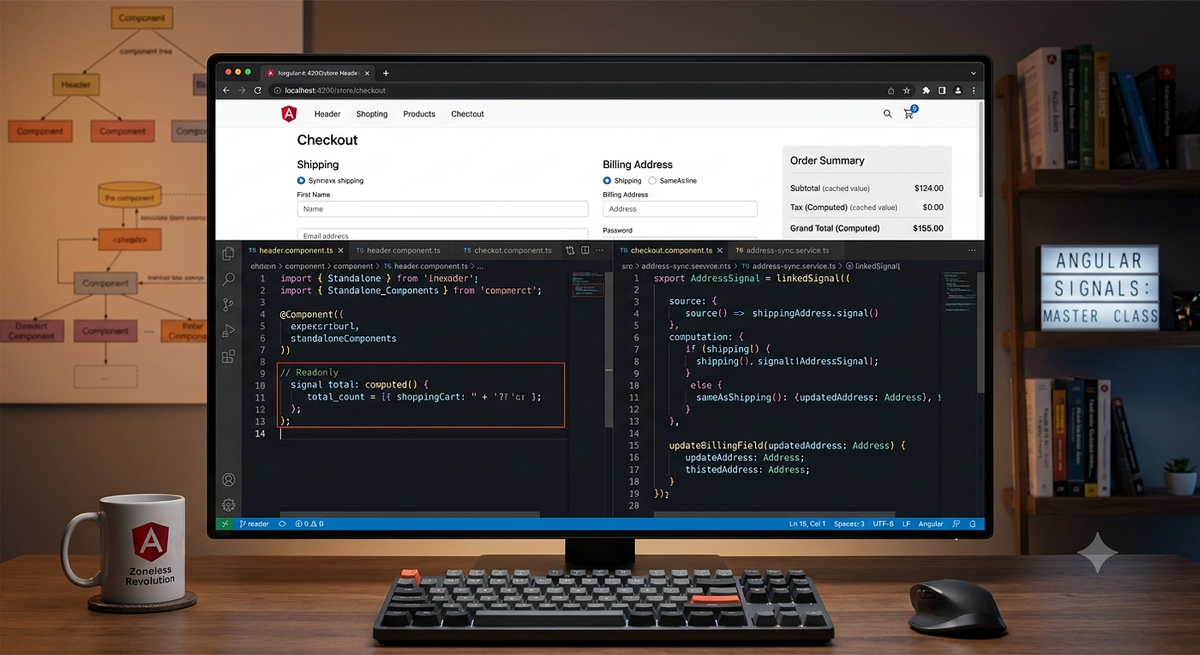
The Ultimate Guide to Angular Signals: Building a Zoneless E-Commerce Store 🛑
If you are treating Angular Signals like standard TypeScript variables or using them as a simple, drop-in replacement for RxJS BehaviorSubject, you are missing the point. In fact, you might accidentally be hurting your application’s performance.
With modern Angular, the framework has shifted away from the heavy overhead of Zone.js change detection toward a pristine, fine-grained reactive model. But to unlock its true power, you have to break two old habits: creating massive “God Components” and syncing state using messy lifecycle hooks.
In this comprehensive guide, we will explore the architectural history of why Angular needed this change, dive into how the framework works under the hood, and build a fully reactive e-commerce application from scratch using advanced concepts like global state stores, effect(), computed() and linkedSignal().
You can watch video version of this blog below.
The Architectural History: What Was Zone.js?
To understand where we are going, we have to look at how Angular traditionally handled data updates. For over a decade, Angular relied heavily on a library called Zone.js.
Zone.js operated via a concept known as “monkey-patching.” The moment your application loaded in the browser, Zone.js overrode standard global asynchronous browser APIs like addEventListener, setTimeout, and fetch.
When a user clicked a button or received an API response anywhere on your site, Zone.js intercepted that action, waited for your JavaScript code to finish executing, and then notified Angular:
“Hey, an asynchronous event just finished somewhere. I have no idea what changed or which component it affected, so go check everything.”
Angular then had to perform a massive, top-down dirty-checking sweep of your entire component tree, re-evaluating text expressions and DOM bindings just to see if a single number had updated. While highly optimized over the years, this coarse-grained approach introduced significant runtime performance costs for large enterprise dashboards and massive e-commerce applications.
Google’s Grand Plan: The Zoneless Revolution
The modern goal for Angular is to go completely Zoneless, and Signals are the engine making that happen.
Instead of blindly checking the entire page when an event occurs, a Signal acts like a targeted laser pointer. Because a Signal is a synchronous wrapper around a value that automatically tracks exactly which parts of the UI are reading it, it tells Angular precisely which specific DOM text node needs an update.
By removing Zone.js entirely, developers gain:
- Smaller bundle sizes and faster initial page loads.
- Crystal-clear asynchronous debugging tracks (no more massive, anonymous Zone stack traces).
- Incredible runtime performance because components can stay completely passive.
Under the hood, Signals don’t rely on RxJS Observables. Instead, they are custom-engineered using an ultra-fast Push/Pull Hybrid Graph Algorithm that tracks modifications using simple integers and bitwise flags, keeping the framework lightweight and lightning-fast.
Building the Core Pillars: The Global State Store
Let’s look at how to implement this in a production-ready e-commerce application. We’ll start by building a central CartService to handle our raw state management using the first two pillars of reactivity: Writable Signals (signal) and Computed Signals (computed).
import { Injectable, signal, computed } from '@angular/core';

@Injectable({ providedIn: 'root' })
export class CartService {
  // Pillar 1: Writable Signals (The mutable sources of truth)
  products = signal<any[]>([]);
  cart = signal<any[]>([]);
  activePage = signal<'shop' | 'checkout'>('shop'); // A lightweight, reactive router state

  // Pillar 2: Computed Signals (The cached formulas)
  subtotal = computed(() => this.cart().reduce((sum, item) => sum + (item.product.price * item.quantity), 0));
  tax = computed(() => this.subtotal() * 0.1);
  grandTotal = computed(() => this.subtotal() + this.tax());

  addToCart(product: any) {
    this.cart.update(currentCart => {
      const existing = currentCart.find(item => item.product.id === product.id);
      if (existing) {
        return currentCart.map(item => item.product.id === product.id
          ? { ...item, quantity: item.quantity + 1 }
          : item
        );
      }
      return [...currentCart, { product, quantity: 1 }];
    });
  }
}
Why this structure is critical:
- Writable Signals hold raw state. To change them, you use explicit mutations like
.set()or.update(). - Computed Signals behave like formulas in an Excel spreadsheet. They layer like dominoes:
taxreads fromsubtotal, andgrandTotalreads from both. - The Caching Superpower: If the underlying
cartarray doesn’t change, thesubtotalcalculation never re-runs, no matter how many times the UI requests it. It evaluates purely on-demand when a dependency shifts.
Pillar Three: Automatic Persistence with effect()
What happens when we need to handle a background side effect, such as saving our shopping cart data to the browser’s localStorage so a user doesn’t lose their items on a page refresh?
Traditionally, you would have to manually paste storage-saving logic inside your addToCart, removeFromCart, and updateQuantity methods, or manage an RxJS subscription stream. Effects completely eliminate this boilerplate.
import { Injectable, signal, computed, effect } from '@angular/core';

@Injectable({ providedIn: 'root' })
export class CartService {
  cart = signal<any[]>(this.loadCartFromStorage());

  constructor() {
    // Pillar 3: Effects (Automatic background operations)
    effect(() => {
      localStorage.setItem('ecommerce_cart', JSON.stringify(this.cart()));
    });
  }

  private loadCartFromStorage(): any[] {
    const saved = localStorage.getItem('ecommerce_cart');
    return saved ? JSON.parse(saved) : [];
  }
}
How it works:
The effect() block automatically registers the cart signal as a dependency simply because it was read inside its body. The effect goes to sleep and wakes up to sync with the browser storage the exact microsecond the cart updates—no manual subscription management or unsubscriptions required.
UI Integration: Passive Component Architecture
With our global state vault established, our UI components can become completely passive shells. Using Angular’s modern inject() function and a clean Tailwind CSS layout, we can hook up our storefront.
Here is how our main root shell (app.component.ts) consumes the service:
import { Component, inject } from '@angular/core';
import { CartService } from './services/cart.service';
import { HeaderComponent } from './components/header/header.component';
import { ProductListComponent } from './components/product-list/product-list.component';
import { CheckoutComponent } from './components/checkout/checkout.component';

@Component({
  selector: 'app-root',
  standalone: true,
  imports: [HeaderComponent, ProductListComponent, CheckoutComponent],
  template: `
    <app-header />
    <main class="max-w-7xl mx-auto p-6">
      @if (stateStore.activePage() === 'shop') {
        <div class="grid grid-cols-1 lg:grid-cols-3 gap-6 items-start">
          <div class="lg:col-span-2">
            <app-product-list />
          </div>
          <div class="sticky top-24 bg-white p-4 shadow rounded-lg">
            <h2>Total: ${{ stateStore.grandTotal() | number:'1.2-2' }}</h2>
          </div>
        </div>
      } @else {
        <app-checkout />
      }
    </main>
  `
})
export class AppComponent {
  protected stateStore = inject(CartService);
}
Because we use the injected stateStore.activePage() signal inside an @if block, our app features a lightweight, lightning-fast reactive routing mechanism without requiring heavy configuration files. No properties are drilled down, and no event listeners are forced back up.
Advanced Synchronization: Mastering linkedSignal()
One of the trickiest parts of frontend development occurs when you want a value to automatically sync with a source dependency, but remain fully writable so a user can change it manually.
Consider our e-commerce Checkout Page. We need to track a customer’s shippingAddress and a billingAddress. We also have a checkbox called sameAsShipping.
If sameAsShipping is checked, the billing inputs must automatically mirror the shipping inputs in real-time. If it is unchecked, the user should be allowed to clear the billing form and type an entirely separate address.
Before Angular v22+, this required complex ngOnChanges logic or manual form-patching cycles. Now, linkedSignal() solves it natively:
import { Component, signal, linkedSignal } from '@angular/core';

interface Address {
  fullName: string;
  street: string;
  city: string;
  zip: string;
}

@Component({
  selector: 'app-checkout',
  standalone: true,
  template: ``
})
export class CheckoutComponent {
  shipping = signal<Address>({ fullName: 'John Doe', street: '123 Main St', city: 'Parsippany', zip: '07054' });
  sameAsShipping = signal<boolean>(true);

  // Advanced State Link: Tracks the source, but allows manual .set() overwrites
  billing = linkedSignal<any, Address>({
    source: () => ({ shipping: this.shipping(), same: this.sameAsShipping() }),
    computation: (source) => source.same ? { ...source.shipping } : { fullName: '', street: '', city: '', zip: '' }
  });

  // Called if the user manually overrides a field in the billing form UI
  updateBillingField(updatedAddress: Address) {
    this.billing.set(updatedAddress);
  }
}
The Magic Under the Hood:
If the user checks the box, any keystroke typed into the shipping fields instantly flows into the billing fields. However, the moment the user unchecks the box, the reactive calculation link safely breaks, clears the form inputs, and begins acting like an independent, writable signal so the customer can enter unique data.
Pro-Level Performance: untracked and onCleanup
To complete your mastery of advanced Angular reactivity, you should keep two expert tools in your toolkit for edge-case performance management:
1. Stopping Unwanted Triggers with untracked()
Sometimes you need to read a signal’s value inside an effect, but you don’t want that signal to register as a dependency and trigger a re-run of the effect. Wrap the read function in untracked() to bypass tracking:
effect(() => {
  const currentCartValue = this.cart();
  // We want to log the active page, but NOT re-run this effect when activePage changes
  const page = untracked(() => this.activePage());
  console.log(`Cart updated on page: ${page}`, currentCartValue);
});
2. Preventing Memory Leaks with onCleanup
If your background effects spin up custom intervals, manual event listeners, or WebSockets, you can pass an onCleanupregistration callback directly into the execution context. Angular runs this cleanup block right before the next execution cycle or when the surrounding component is destroyed:
effect((onCleanup) => {
  const timer = setInterval(() => {
    console.log('Syncing cart metrics tracking point...');
  }, 10000);

  // Clear background resources safely
  onCleanup(() => clearInterval(timer));
});
Summary Cheat Sheet
| Feature | `computed()` | `linkedSignal()` |
| : — — | : — — | : — — |
| **Data Flow** | Read-Only | Fully Writable (`.set()`, `.update()`) |
| **Dependency Tracking** | Auto-caches derivations | Resets value when source shifts |
| **Reactive Type** | Derived state (cannot be altered directly) | Writable state (manually editable) |
| **E-Commerce Use Case** | Calculating cart subtotals, tax brackets, and grand totals. | Defaulting form variants, managing checkout address states, or resetting product selections. |
By breaking your storefront into isolated standalone components and combining the distinct strengths of read-only and writable reactive primitives, you pave the way for a highly maintainable, modern, zoneless frontend architecture.
Have you started implementing linkedSignal in your production storefronts yet? Let me know your thoughts or any performance breakthroughs you’ve achieved down in the comments below!
Get new articles by email
One short email whenever a new article is published. No spam, unsubscribe anytime.
Keep reading
Angular Custom Attribute Directives
Build a custom attribute directive in Angular that adds dynamic validation to a reactive login form, with a working example.
Secure Your Spring Boot and Angular Application with JWT Authentication: A Comprehensive Guide
Secure a Spring Boot backend and an Angular frontend with JWT authentication: how tokens work, how to issue and validate them, and how to attach them from Angular.
Streamlining Email Verification: A Step-by-Step Guide with Spring Boot and Angular
Implement a complete email verification flow for user registration using Java, Spring Boot, Angular and MongoDB, step by step.
Comments
No comments yet. Be the first to share your thoughts.